
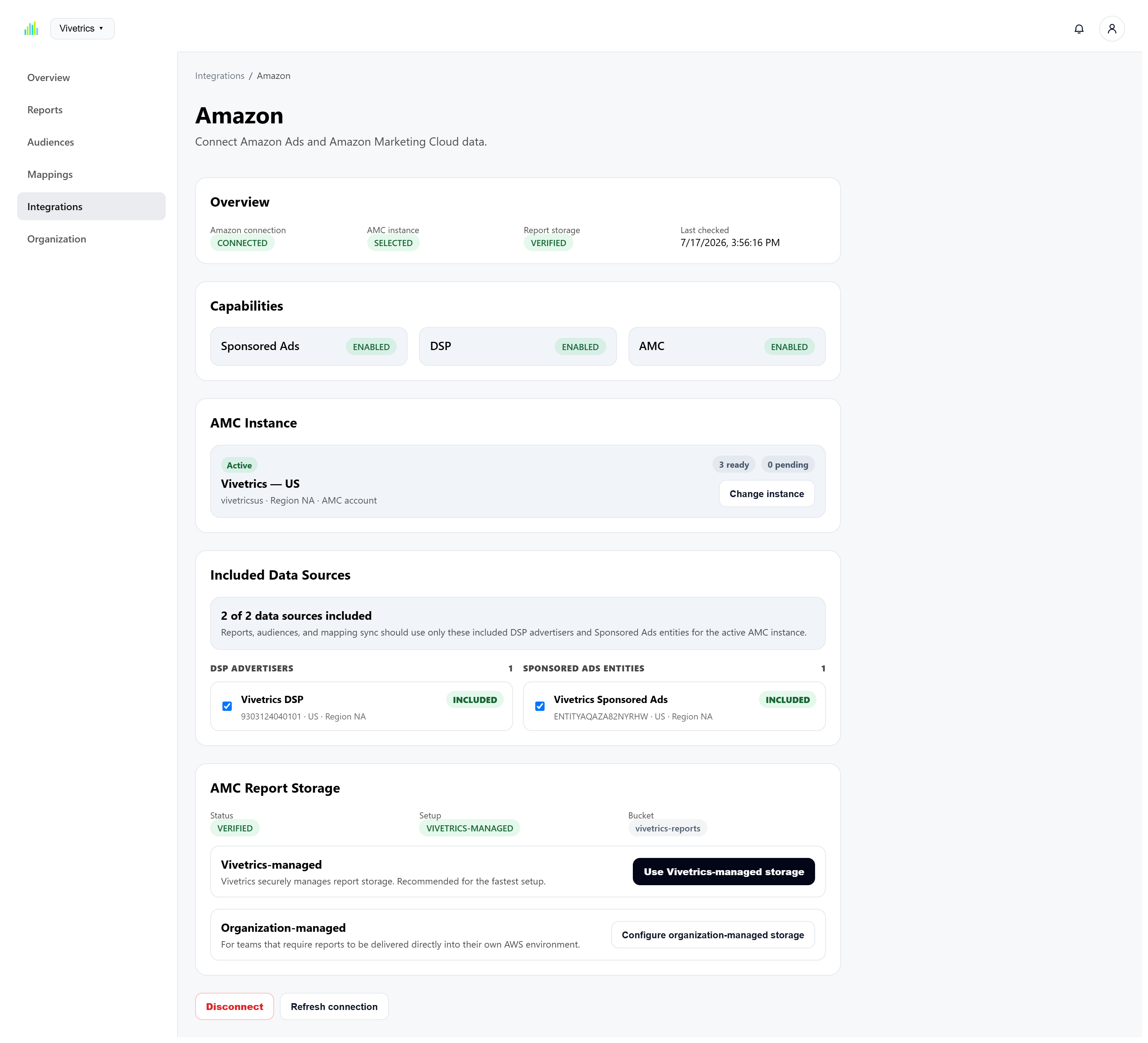
Visible connection and configuration state
See which Amazon account, AMC instance, data sources, storage configuration, and workspace setup state are currently in use.
Vivetrics brings AMC configuration, measurement, interpretation, and audience activation into one connected workspace built around repeatable Amazon Ads workflows.
MeasureCompleted AMC report
UnderstandOpportunity surfaced
ActivateAudience workflow ready
See which Amazon account, AMC instance, data sources, storage configuration, and workspace setup state are currently in use.
Create supported AMC analyses through guided configuration instead of starting every use case from a blank query.
Use the selected completed report as the foundation for summaries, recommended actions, and analytical views.
Define audience strategy, source logic, exclusions, lookback periods, refresh frequency, and Amazon Ads destinations.
Each stage uses the same workspace configuration, semantic structure, and Amazon Ads context.
Authorize Amazon Ads and discover the AMC accounts, instances, DSP advertisers, and Sponsored Ads entities available to the workspace.
Select the active AMC instance, control included data sources, verify report storage, and synchronize reusable mappings.
Configure guided AMC reports with explicit scope, date windows, attribution settings, execution cadence, and output controls.
Translate completed report output into executive summaries, recommended actions, audience plans, and advanced visualizations.
Carry supported strategies into guided audience workflows with source, exclusion, recency, refresh, and destination controls.
Vivetrics makes the operational state surrounding Amazon Marketing Cloud visible inside the workspace.
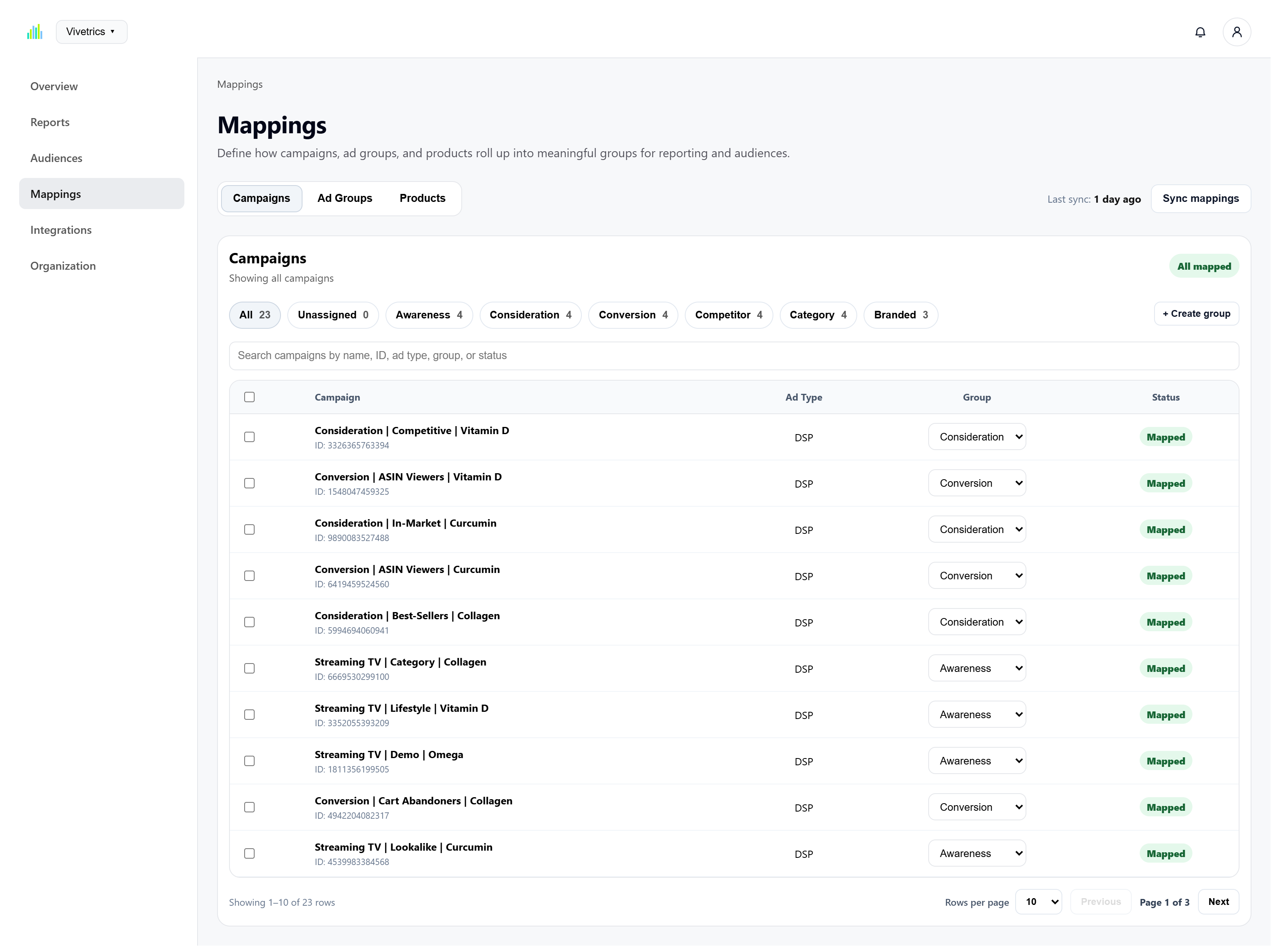
AMC works with underlying advertising entities. Vivetrics allows teams to organize those entities into meaningful groups that can be reused across measurement and activation.
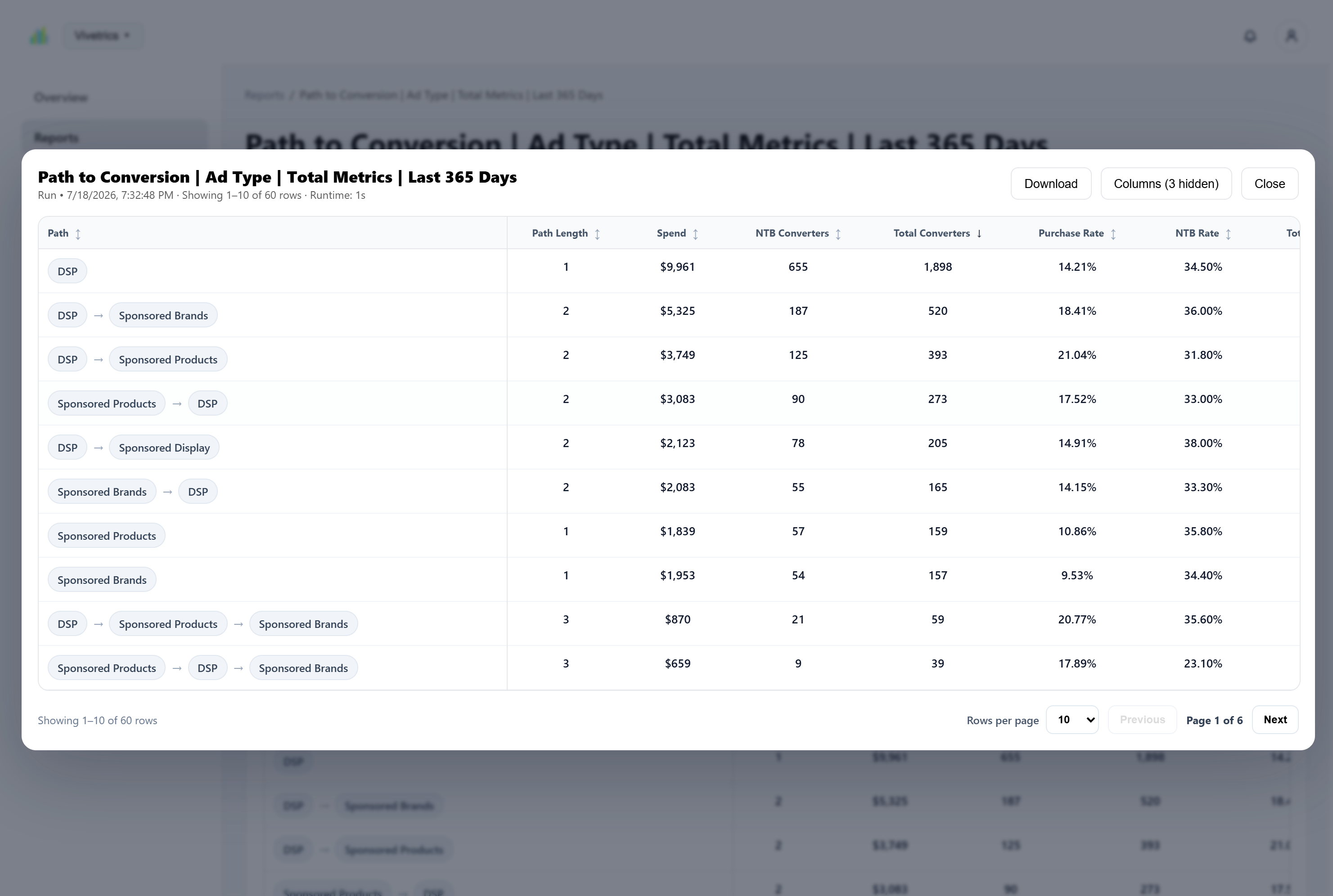
Vivetrics provides structured report creation and report detail workflows around supported Amazon Marketing Cloud analyses.
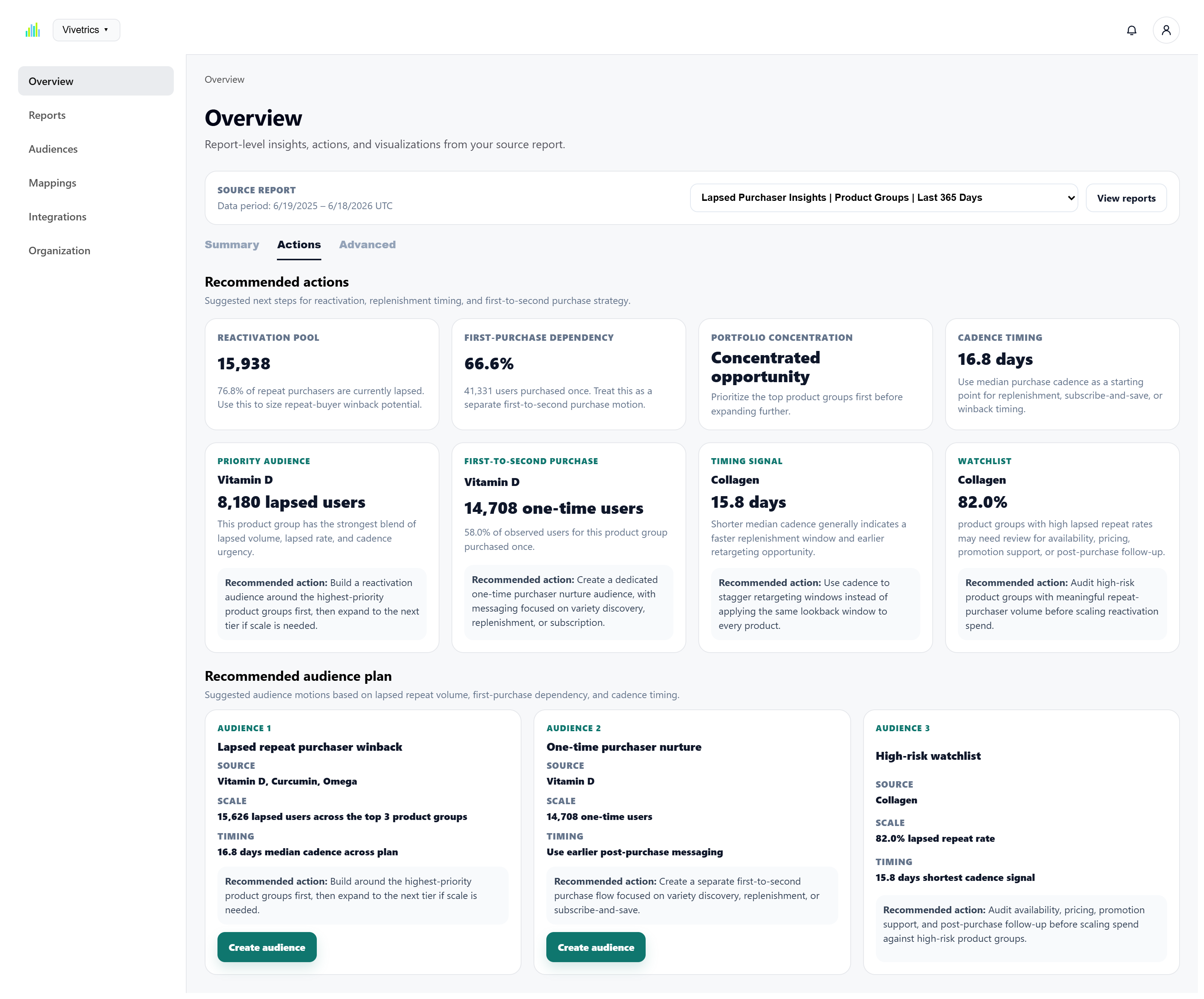
Overview uses the selected source report to provide multiple levels of interpretation for different decision needs.
Surface the report-level performance story using the metrics and dimensions most relevant to the selected analysis.
Prioritize opportunities, watchlists, timing signals, and suggested next steps grounded in report output.
Investigate customer journeys, efficiency, acquisition, transitions, cadence risk, and buyer behavior in greater depth.
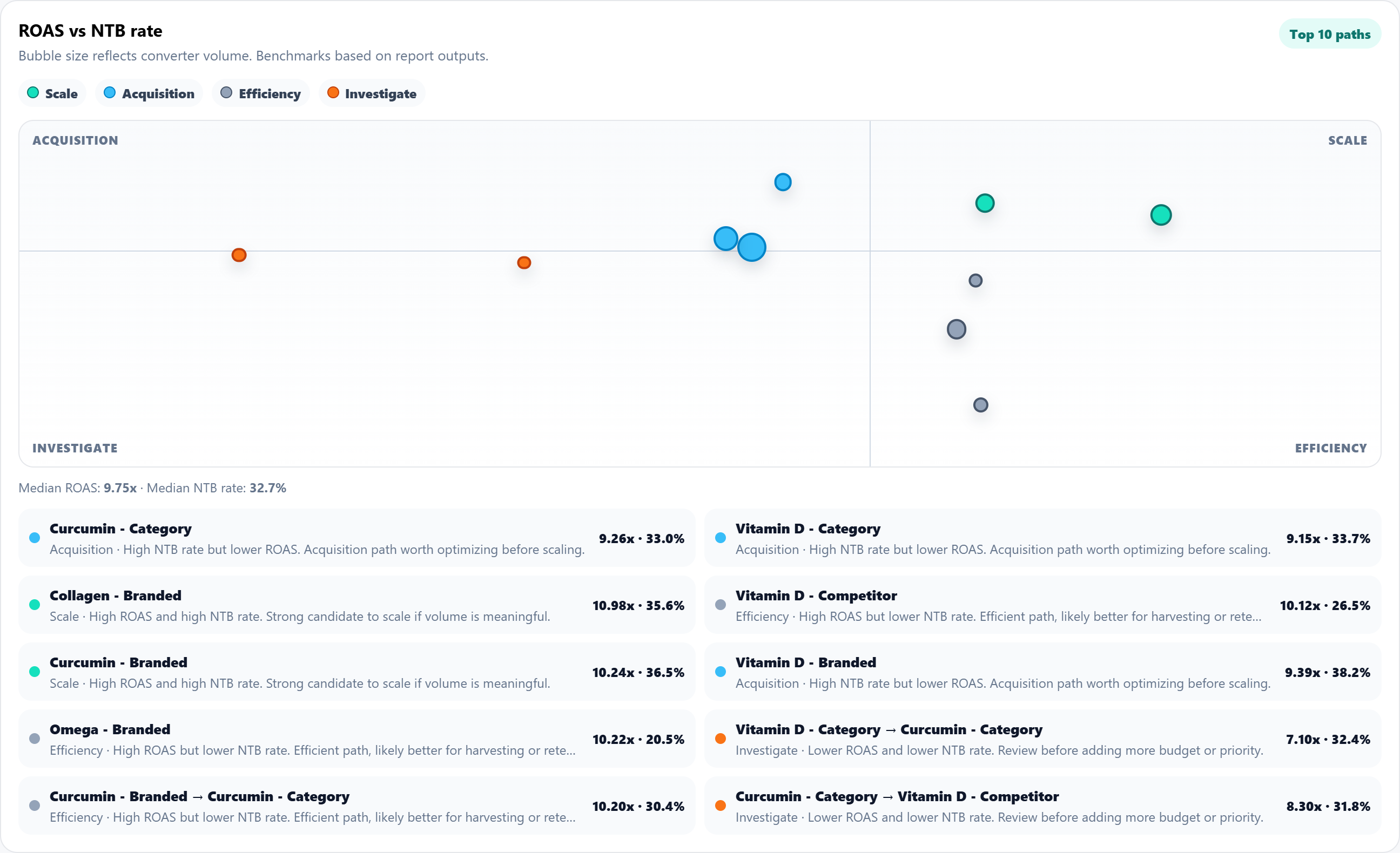
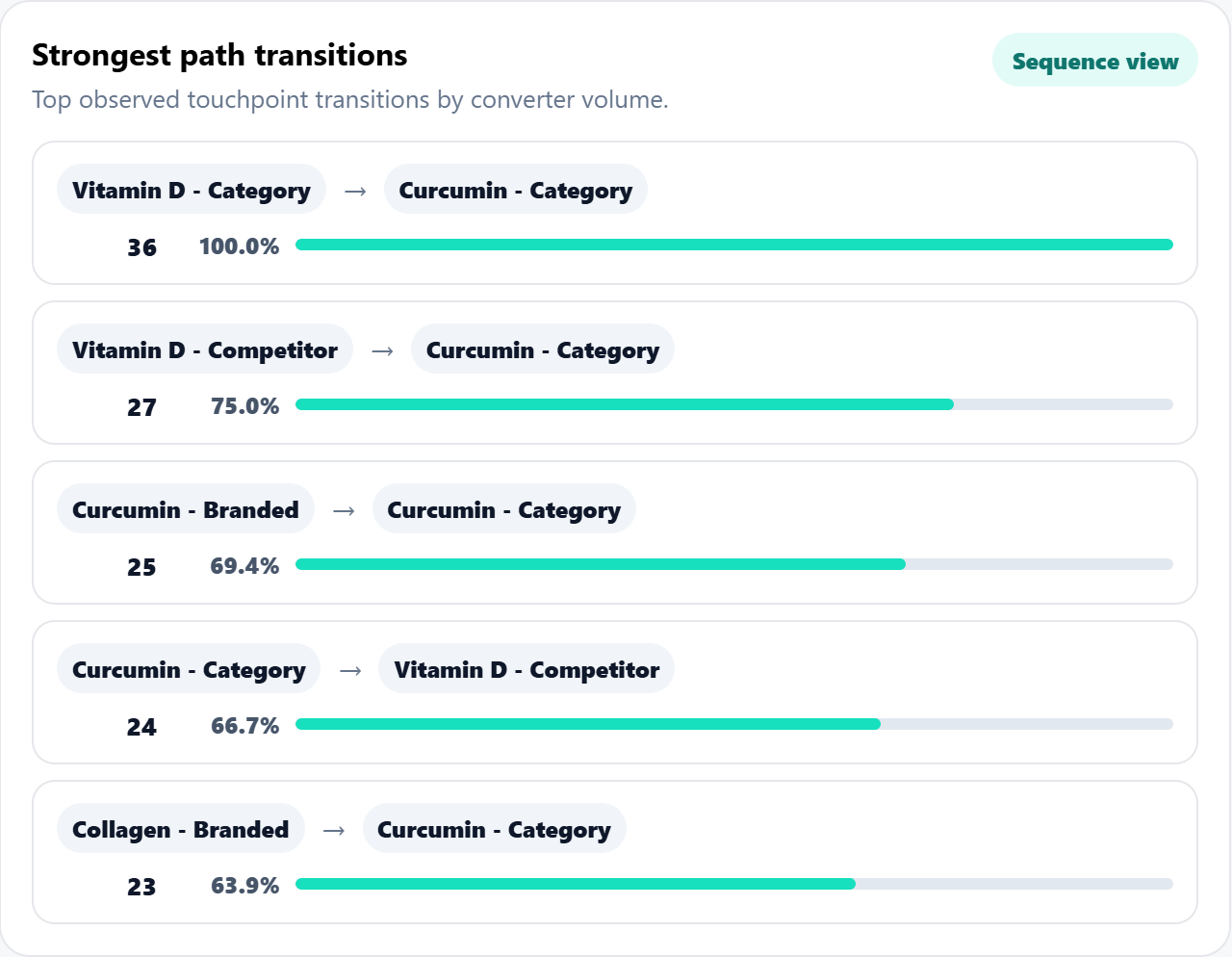
Move between executive readouts, actionable recommendations, and detailed behavioral analysis without leaving the selected report context.
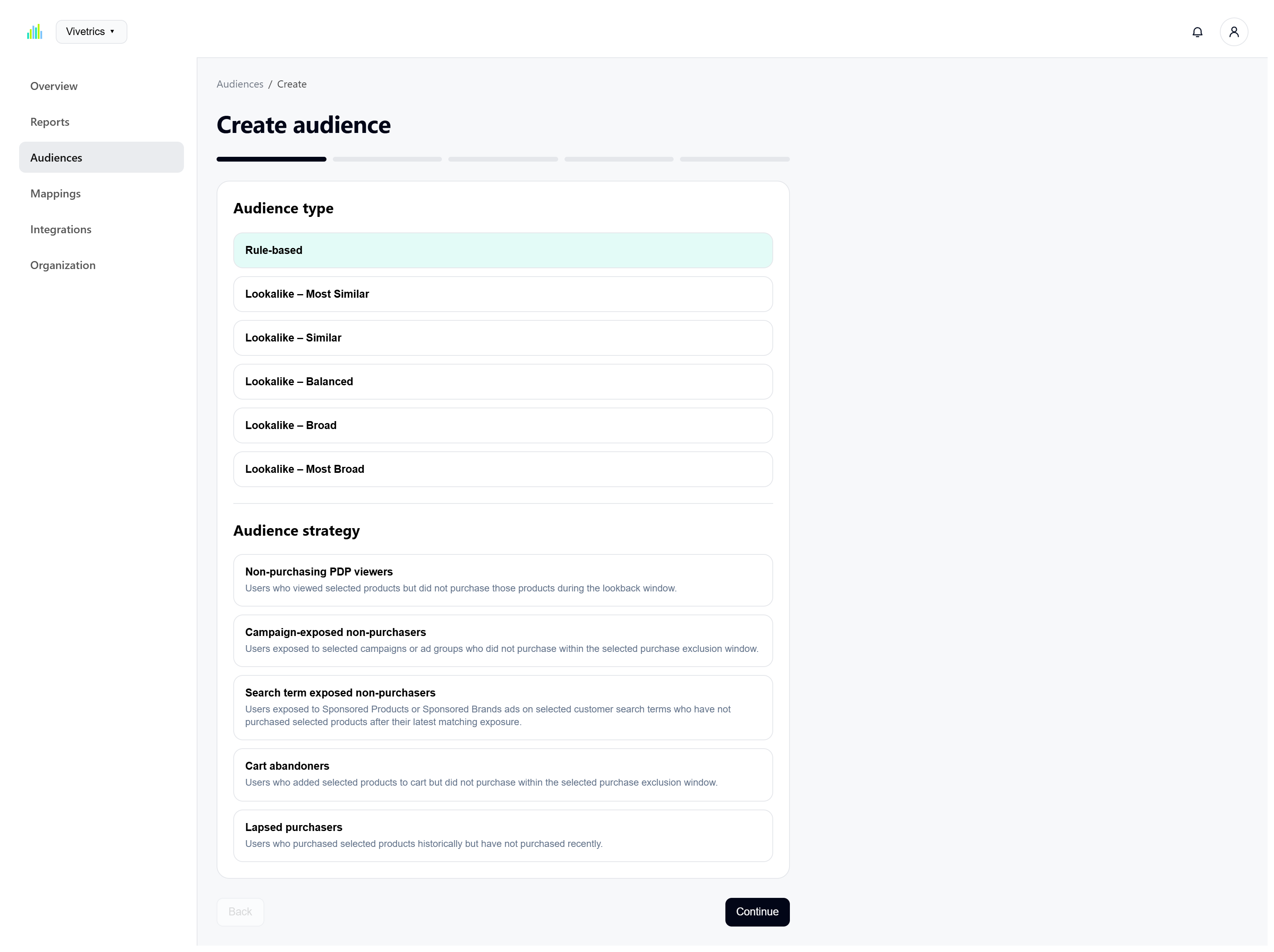
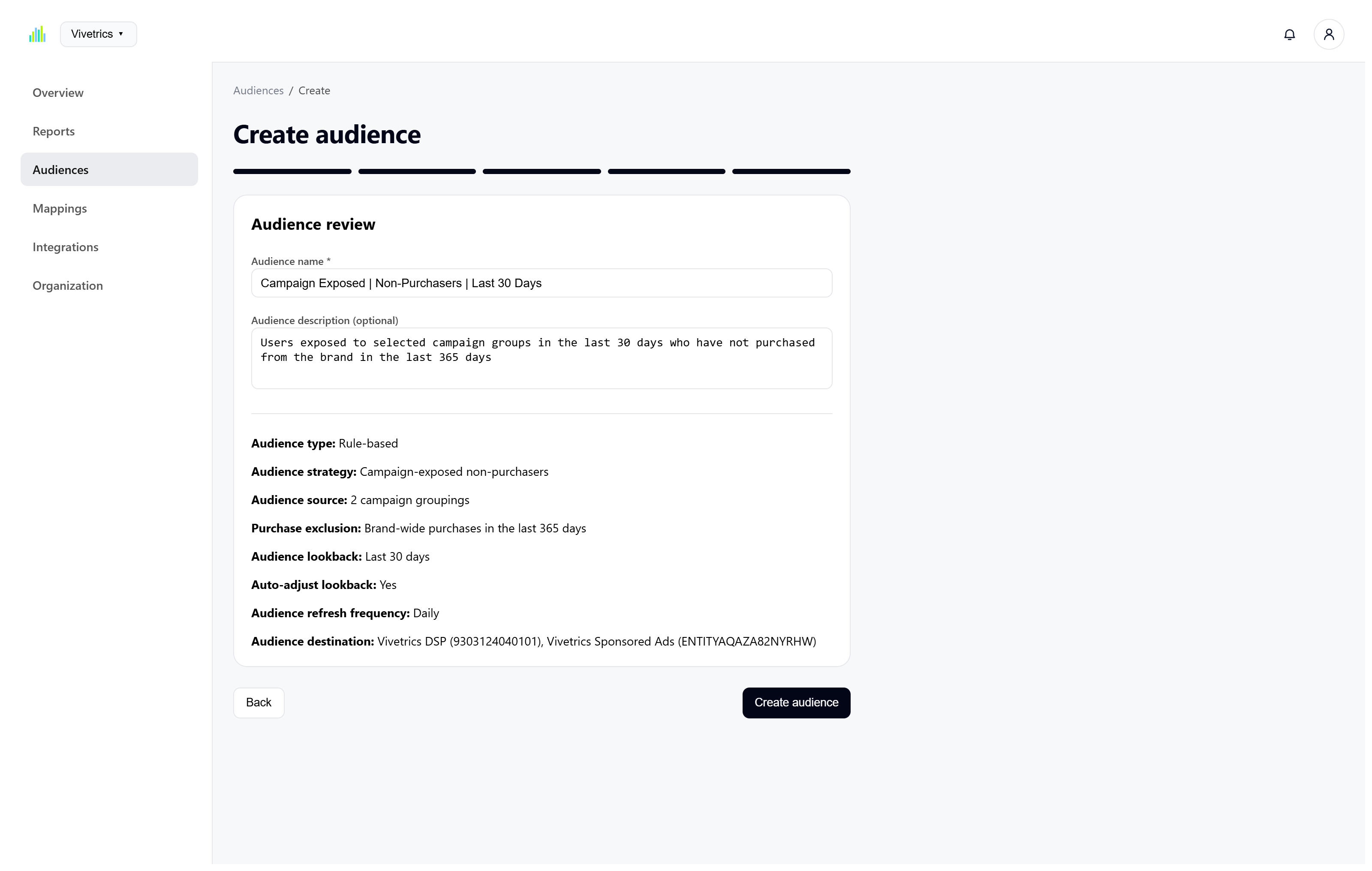
Audience creation uses a structured workflow so the selected strategy, source, exclusions, recency, refresh behavior, and destinations are explicit before creation.
Choose the audience type and supported strategy based on the behavior or opportunity the team wants to activate.
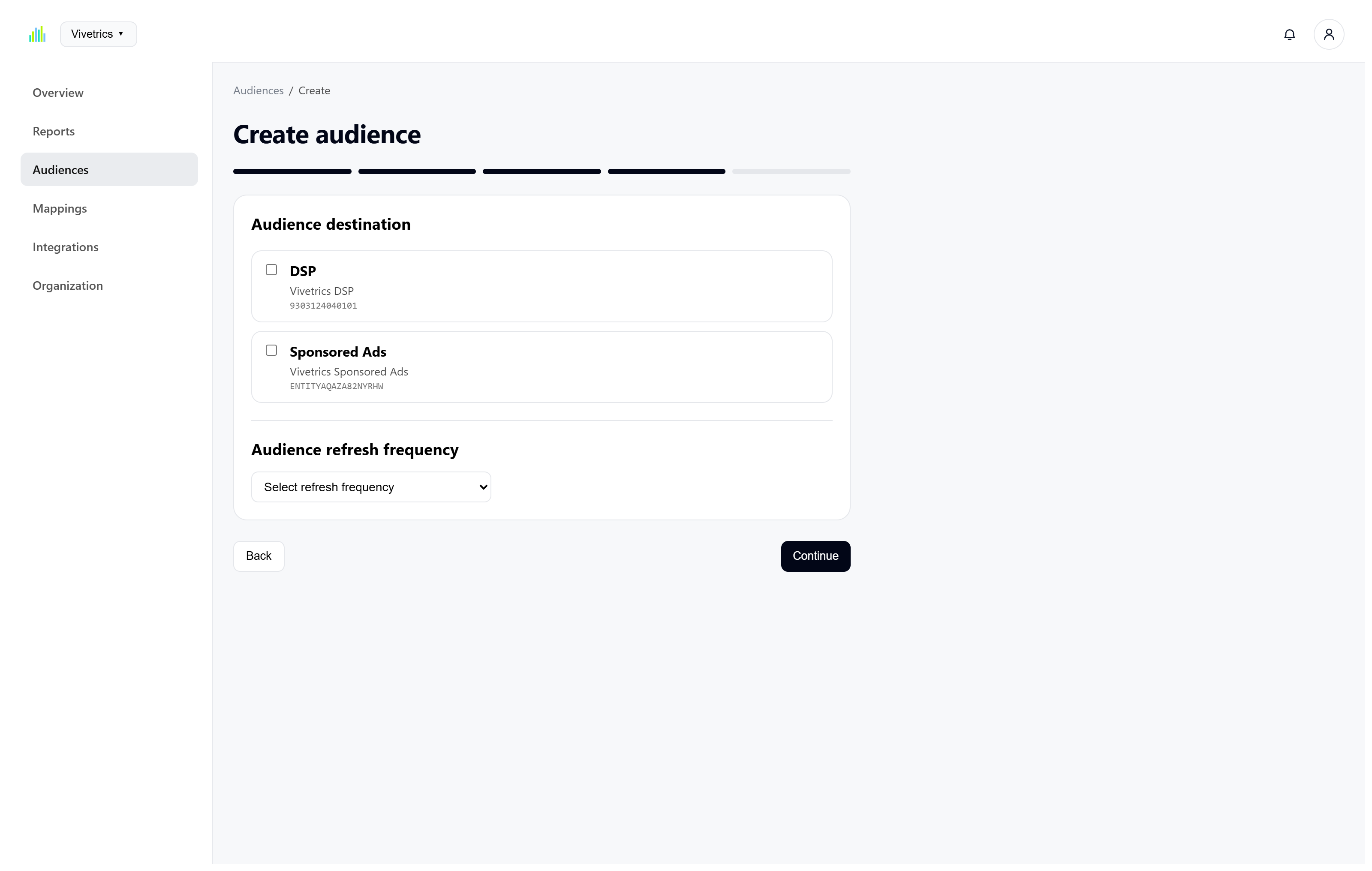
Choose supported DSP and Sponsored Ads destinations and define how frequently the audience should refresh.
Confirm audience source, exclusions, lookback logic, refresh frequency, destinations, name, and description before creating it.
Vivetrics keeps important configuration, mappings, execution state, and outputs visible so teams can understand how a result was produced and what it represents.
Amazon authorization, AMC instance selection, storage, data-source inclusion, and mappings remain visible within the workspace.
Campaigns, ad groups, and products can be organized into reusable groups for both reporting and audience workflows.
Completed report runs preserve execution state, timing, output size, row counts, and access to prior runs.
Teams can review full report output, control columns, sort results, paginate through rows, and download completed files.
Vivetrics demos focus on the way your team currently handles Amazon Marketing Cloud measurement, interpretation, and audience strategy.